
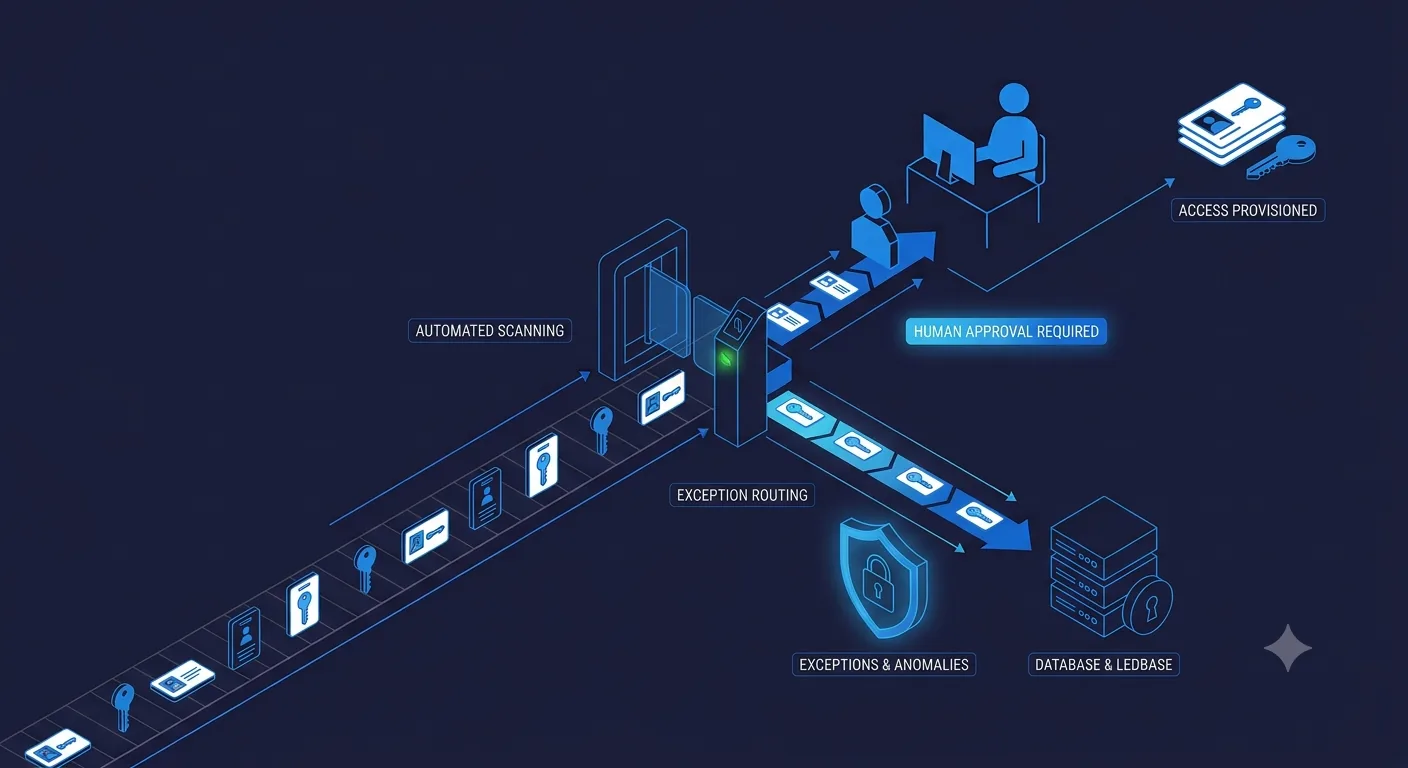
Internal ops and IT support sit on a different risk profile than customer-facing automation: the people affected are your own employees, and the systems involved often include access and identity. That makes it tempting to either automate nothing or automate everything with a single agent. Neither is right. The useful split is the same principle as everywhere else: automate the routine, keep anything touching real risk with a human.
What makes an internal ops task a good candidate for automation?
Volume, clarity, and bounded blast radius. A password reset request is high volume, has one clear resolution path, and a mistake costs a follow-up message. Granting a new engineer production database access is low volume relative to other requests, depends on role and context, and a mistake could be a real security incident. Same category of request (access), completely different automation decision, because the consequence of getting it wrong is not the same.
Which internal ops tasks should you automate first?
- Routine access provisioning against a defined policy. Standard tool access for a standard role, granted against a rule you already have, not a judgment call per request.
- New-hire IT onboarding checklists. Accounts, standard software, and equipment requests for a role you have onboarded before. Repeatable by definition.
- Tier-1 IT tickets. Password resets, VPN connectivity, standard software installs. The same category that makes a good first customer support automation candidate, for the same reasons.
- Policy question answering. Employees asking what the expense policy or leave policy says is a lookup against your own documentation, not a judgment call.
Which internal ops tasks should stay with a human?
- Non-standard or elevated access requests. Anything outside the defined policy, by definition, needs a person to apply judgment the policy does not cover.
- Security exceptions. A request to bypass a control for a deadline is exactly the kind of decision that should never be automated away.
- Offboarding for sensitive roles. Revoking access quickly matters, but anything involving a contentious departure needs human coordination, not just a checklist run.
- Vendor and tooling decisions. Approving a new SaaS purchase or vendor relationship is a judgment call about cost, risk, and fit, not a lookup.
How do you keep an access-provisioning agent from becoming a security problem?
Scope it the same way you would scope any system with elevated permissions: least privilege, logged, and reversible. The agent should only be able to grant access that falls within a policy you have explicitly defined, every action should produce an audit trail, and anything outside that defined scope should route to a human rather than get a best-effort automated decision. The agent having broad access is the actual risk, not the automation itself; a narrowly scoped agent with full logging is a smaller attack surface than a shared admin credential three people half-remember the password to.
Does this reduce headcount, or just change what the team does?
For most teams, it changes the job more than it shrinks it. A one-person IT function stops spending most of a week on routine tickets and onboarding checklists, and spends more of it on the security exceptions, vendor decisions, and infrastructure work that were previously getting squeezed in around the routine volume. Growing companies usually see this as avoiding a hire they would otherwise have needed at the next headcount tier, not as replacing an existing one.
How should you roll this out without creating an access control gap?
Start with one request category (tier-1 tickets are the common first move) before touching anything access-related. Once the agent has a track record on low-risk requests, extend it to routine, policy-defined access provisioning, with every grant logged and reviewable. Keep anything outside a clearly defined policy routed to a human by default, and treat any ambiguity in the policy itself as a reason to route to a human, not a reason to guess.
If you want this scoped against your actual IT stack and access policies, see our AI agent for internal ops for the workflow and integrations, or talk to us directly.