
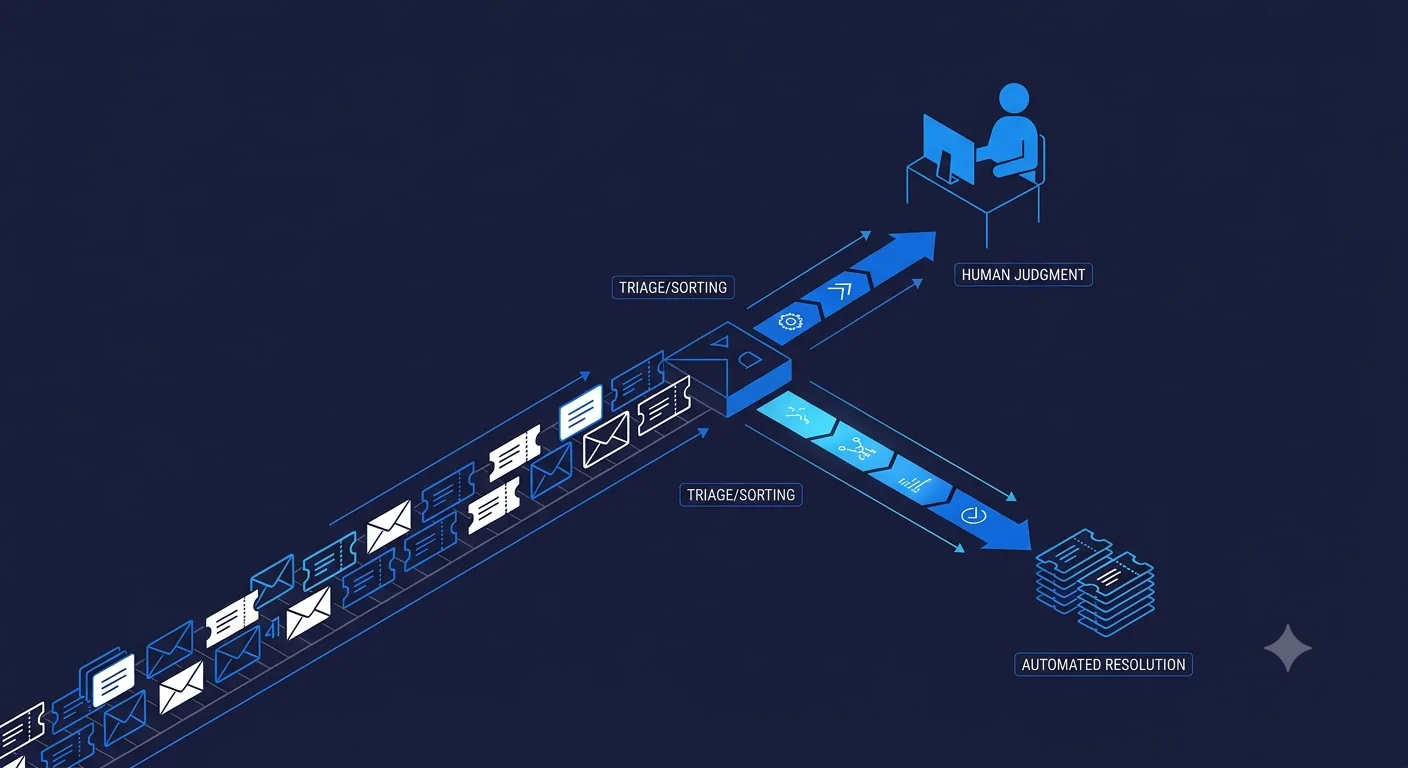
Automate the wrong tickets first and you either damage the customer experience or barely move your team's workload. The right starting point is narrower than most teams expect: a small set of high-volume, low-risk ticket types that an agent can resolve correctly almost every time.
What makes a ticket type a good first candidate for automation?
Three things, and you want all three, not just one. High volume, so automating it actually frees up meaningful time instead of a handful of tickets a month. Low ambiguity, meaning the correct answer depends on a small number of clear inputs (order status, account tier, a documented policy), not judgment. Low consequence if wrong, so an occasional miss costs a follow-up message, not a refund dispute or a churned account. Password resets, order status, and "where is my refund" tickets usually hit all three. Billing disputes and anything touching a customer who is already upset usually hit none of them.
Which ticket types should you automate first?
- Order and shipping status. Fully deterministic, pulled straight from a system of record. Close to zero risk of a wrong answer if the integration is built correctly.
- Password resets and account access. Scripted today in most helpdesks already; an agent just handles the conversational wrapper around it.
- Billing lookups (not disputes). "What am I being charged and why" is a lookup. "I was charged wrong, fix it" is a judgment call. Automate the first, not the second.
- Documented policy questions. Return windows, plan limits, feature availability, anything your help center already states clearly.
Which ticket types should stay with a human, at least at first?
- Anything with an angry or upset customer. Sentiment should route to a human regardless of the ticket's underlying category.
- Billing disputes and refund requests. These involve a judgment call about whether to make an exception, which is exactly what an agent should not be making unsupervised early on.
- Anything involving account security. Suspected fraud, account takeover, and similar should always reach a human fast.
- Edge cases your documentation does not clearly cover. If your own team has to think about the answer, the agent should escalate rather than guess.
How do you know if the agent is making the wrong calls?
Watch three numbers, not one. Deflection rate tells you volume handled, but on its own it is a vanity metric, an agent that deflects everything by refusing to help deflects nothing useful. CSAT on automated resolutions specifically, not blended across your whole support queue, tells you whether the deflected tickets were actually resolved well. Escalation accuracy, how often a ticket the agent handled gets reopened or escalated after the fact, tells you where the confidence threshold is miscalibrated. A rising escalation rate on a ticket type you thought was handled is the clearest signal to widen human review on that category, not to push the agent harder.
Should the agent tell customers they are talking to AI?
Yes, as a default, not an edge case. Disclosure is not just good practice, it also sets the right expectation: customers tolerate a quick, correct automated answer far better than a slow one pretending to be a person. The cases where this backfires are almost always cases where the underlying resolution was wrong or unhelpful, not cases where disclosure itself caused the complaint.
How do you roll this out without a bad first impression?
Start on one ticket category, not your whole queue. Order status or password resets are the common first move precisely because a mistake there is cheap. Run it in parallel with your human team for a few weeks, comparing agent-drafted responses against what a human would have sent, before letting it resolve anything unsupervised. Widen the scope only after the first category is consistently accurate, not on a fixed calendar date.
If you want this scoped against your actual ticket categories rather than a generic list, see our AI agent for customer support for the workflow and helpdesk integrations, or talk to us and we will look at your ticket mix directly.