
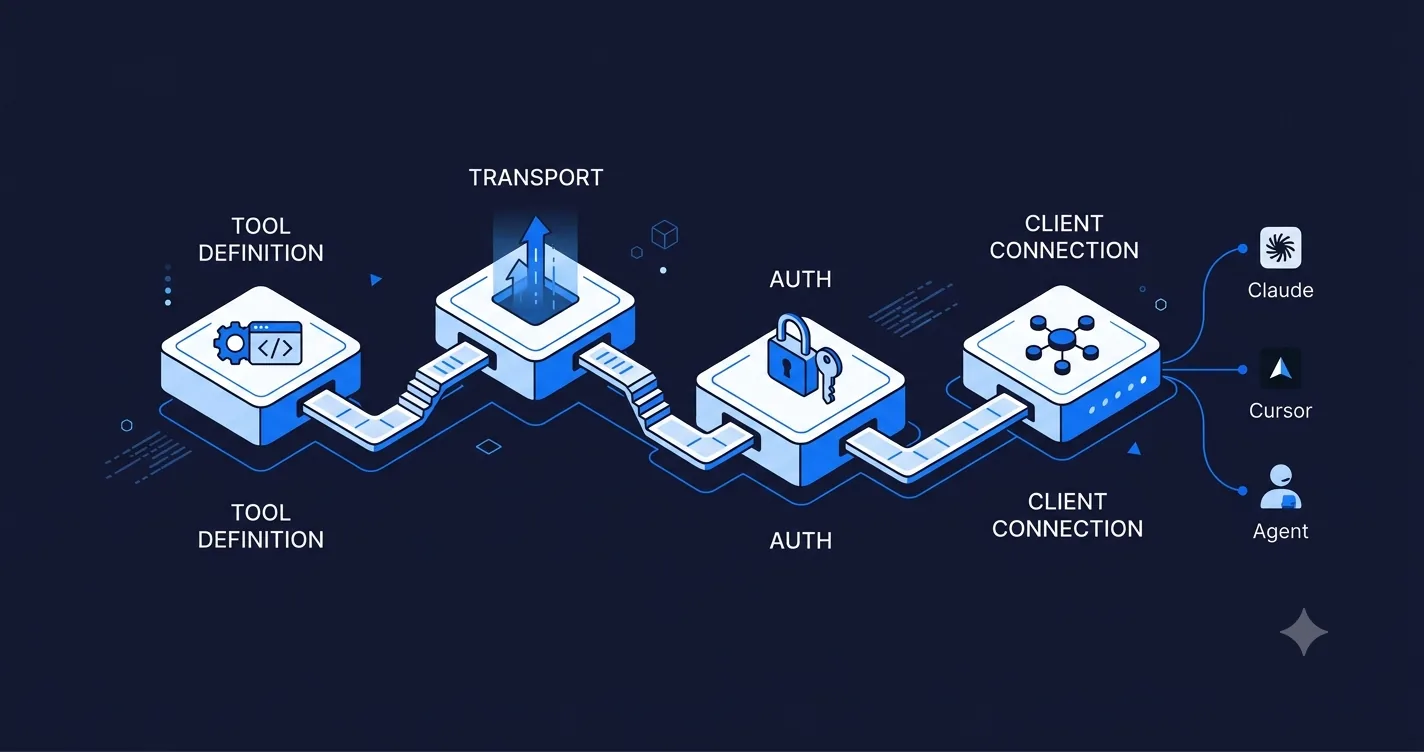
You have read about what MCP is and decided you need one. This post is the part that comes after that decision: an actual walkthrough of building a working MCP server, from an empty project to something Claude Desktop and a second client can both call. If you have not yet decided whether you need MCP at all, start with MCP server architecture explained, which covers the three transport types and how MCP differs from a REST API.
What do you need before you start building?
Three things, decided before you write code:
- The smallest useful set of tools. Three to five tools that solve one real workflow. Not a mirror of your entire API surface. If you cannot describe the workflow in one sentence ("let the model search our docs and open a support ticket"), you are scoping too wide.
- A transport decision. Stdio for local testing and desktop-only tools, streamable HTTP if this will ever be hosted and called by more than one user. Start with stdio even for a server headed to production, since it is the fastest way to iterate, then move to streamable HTTP once the tools are stable.
- What backend the tools actually call. Almost every MCP server is a thin layer over something that already exists, your REST API, your database, or a third-party API you already integrate with. Decide this upfront so tool handlers are not doing new business logic, just translating.
How do you set up the project?
Anthropic maintains official SDKs for TypeScript and Python that implement the protocol handshake, message framing, and transport handling for you. Use one of these rather than implementing the wire protocol yourself, almost nobody hand-rolls this layer.
A minimal TypeScript server looks like this:
import { McpServer } from "@modelcontextprotocol/sdk/server/mcp.js";
import { StdioServerTransport } from "@modelcontextprotocol/sdk/server/stdio.js";
import { z } from "zod";

const server = new McpServer({
  name: "docs-search-server",
  version: "1.0.0",
});

server.tool(
  "search_docs",
  "Search the internal documentation for a query",
  { query: z.string().describe("The search query") },
  async ({ query }) => {
    const results = await searchInternalDocs(query);
    return {
      content: [{ type: "text", text: JSON.stringify(results) }],
    };
  }
);

const transport = new StdioServerTransport();
await server.connect(transport);
That is a complete, working MCP server with one tool. The SDK handles discovery (the client asks "what tools do you have," the SDK answers from your registered tools), input validation against the schema, and error formatting. Your job is the tool logic inside the handler, in this case a single call to searchInternalDocs, which is ordinary application code that could just as easily sit behind a REST endpoint.
How do you design good tool definitions?
This is where most first attempts go wrong, and it has nothing to do with the protocol. The failure mode is building one enormous tool that tries to do everything ("manage_documents" that creates, reads, updates, deletes, and searches) instead of several small, deterministic tools.
- One tool, one action.
search_docs,create_ticket,get_order_status. Notmanage_support. - Strict input schemas. Use the schema library your SDK expects (Zod for TypeScript, Pydantic for Python) to constrain inputs tightly. A loose schema means the model can call your tool with garbage and your handler has to defend against it instead of trusting the contract.
- Descriptions written for the model, not for a human reading docs. The tool description is what the model uses to decide when to call it. "Search the internal documentation for a query" is clearer to a model deciding whether this tool answers the current question than a terse label like "docs search."
- Typed, minimal output. Return exactly what the model needs to answer the user, not your full database row. Every extra field is tokens the model has to read and potentially expose back to the user.
- Predictable errors. When something goes wrong, return a clear error message in the tool response rather than throwing an unhandled exception. The model can recover from "no documents matched that query," it cannot recover from a stack trace.
How do you test it locally against Claude Desktop?
Claude Desktop can launch your stdio server directly, which makes it the fastest local test loop. Add your server to Claude Desktop's config file:
{
  "mcpServers": {
    "docs-search-server": {
      "command": "node",
      "args": ["/path/to/your/server/index.js"]
    }
  }
}
Restart Claude Desktop, and your tools show up in a running conversation. Ask a question that should trigger the tool ("search our docs for the refund policy") and confirm the model calls it, reads the result correctly, and answers using it. This loop, edit code, restart Claude Desktop, ask a triggering question, is the fastest way to iterate on tool design before you add auth or move to a hosted transport.
How do you move from stdio to a hosted server?
Once the tools work locally, wrap the same handlers in a streamable HTTP transport instead of stdio. The SDKs make this a transport swap, not a rewrite, the tool definitions and handler logic stay the same:
- Deploy behind a standard HTTP server (Express, Fastify, FastAPI depending on your SDK language).
- Add authentication at this layer. Bearer tokens are the simplest starting point; move to OAuth-issued session tokens if you need per-user scoping, or mTLS for server-to-server deployments where you control both ends.
- Add rate limiting and per-tenant quotas if more than one customer will call this server. This is the same discipline you already apply to your REST API, applied to the MCP endpoint instead.
- Log every tool call with enough context to debug a bad model decision after the fact, what tool was called, what arguments, what it returned. This is what actually shows up as an incident later, not the protocol layer itself.
The full breakdown of which transport fits which deployment shape, and how auth typically gets implemented at this layer, is in MCP server architecture explained.
How do you connect the same server to a second LLM client?
This is the actual payoff. Once your server runs over streamable HTTP with proper auth, connect it to a second client without touching the server code:
- Cursor and Windsurf take an MCP server URL and bearer token in their settings, the same server you built for Claude Desktop works immediately.
- A custom agent on LangChain or LangGraph uses an MCP adapter that treats your server's tools as entries in the agent's normal tool inventory, alongside anything else it calls.
- GPT-based tooling is adding direct MCP support, and in the meantime a thin adapter layer can translate your MCP tool schemas into OpenAI function-calling format if you need it today.
Test against at least two clients before calling the server done. Single-client testing hides bugs where you accidentally relied on one client's specific behavior, a particular way it formats tool arguments, or an assumption about response timing that only holds for that one implementation.
What should you check before shipping to production?
A short list that catches most of what goes wrong after launch:
- Eval suite. A set of test conversations that exercise each tool and check the model calls it correctly and handles the response. Run this whenever you change a tool definition or a client library updates, model behavior around tool calling shifts more than people expect.
- Auth review. Confirm token scoping actually prevents one tenant's agent from calling another tenant's data, not just that a token is required.
- Prompt injection defense. If any tool returns content the model will read (search results, document contents, ticket text), that content can contain instructions aimed at the model, not the user. Treat retrieved content as untrusted input, the same way you would treat user-submitted HTML on a web page.
- Version negotiation. The MCP spec evolves. Make sure your server handles a client that speaks an older or newer protocol version gracefully instead of failing the connection outright.
- Observability. Trace every tool call the way you would trace an API request. When a user reports the agent "did the wrong thing," you need the tool call log to debug it, not a guess.
Should you build this yourself or bring in someone who has shipped one before?
A first MCP server following this guide is a reasonable weekend-to-two-week build for a team with solid backend experience. Where teams lose time is not the SDK, it is tool design (the mega-tool trap), auth for multi-tenant cases, and eval discipline, none of which the SDK documentation covers well because they are judgment calls specific to your product. If you want a second set of eyes on the design before you build, or want the first server delivered as a fixed-scope engagement, our MCP developers ship a production server, eval suite, and documentation in a 4 to 8 week build. The screening signals we use to tell a developer who has actually shipped one of these from someone who has only read the spec are in MCP explained: how to hire MCP server developers in 2026.
Final word
The protocol part of building an MCP server is the easy part, the official SDKs handle it in a few dozen lines. The work that determines whether the server is actually good is tool design, auth, and testing against more than one client before you call it shipped. Start with three tools, stdio, and Claude Desktop. Add a transport, auth, and a second client once the first loop works. That order keeps you from debugging deployment and tool design at the same time. Talk to us if you want a build partner for the parts that are not the protocol.